 daruda
Keep the vibe. Try every idea.
Run AI coding agents side by side, each in its own git worktree
Claude Code, Codex, Gemini, and more in one native desktop window. Watch their tool calls, answer their questions, approve their permission requests, and review their diffs in one place.
Free and open source · macOS, Windows, Linux · Latest release

What is daruda
An Agentic Development Environment
daruda is a desktop app for running several AI coding agents at once without juggling terminal tabs and branches by hand. Each task gets its own git worktree, so agents can work on separate changes in one repository at the same time. daruda is not a coding agent itself: you bring your own subscriptions and API keys, agents run on your machine, and daruda does not proxy model calls.
Native, not Electron
Built in Rust on GPUI, the UI framework behind Zed, with a Ghostty terminal core.
Chat first
Agents run in structured ACP chat panes. Tool calls render as cards, edits as word-level diffs, and permission prompts as in-app approvals.
Repeatable flows
Describe multi-step work as YAML flows with agent nodes, command gates, and parallel branches. Edit them as a graph and resume a run after a crash.
Open source
The whole app is AGPL-3.0. Worktrees keep independent tasks on separate directories and branches.
Features
Supervise many agents without losing track
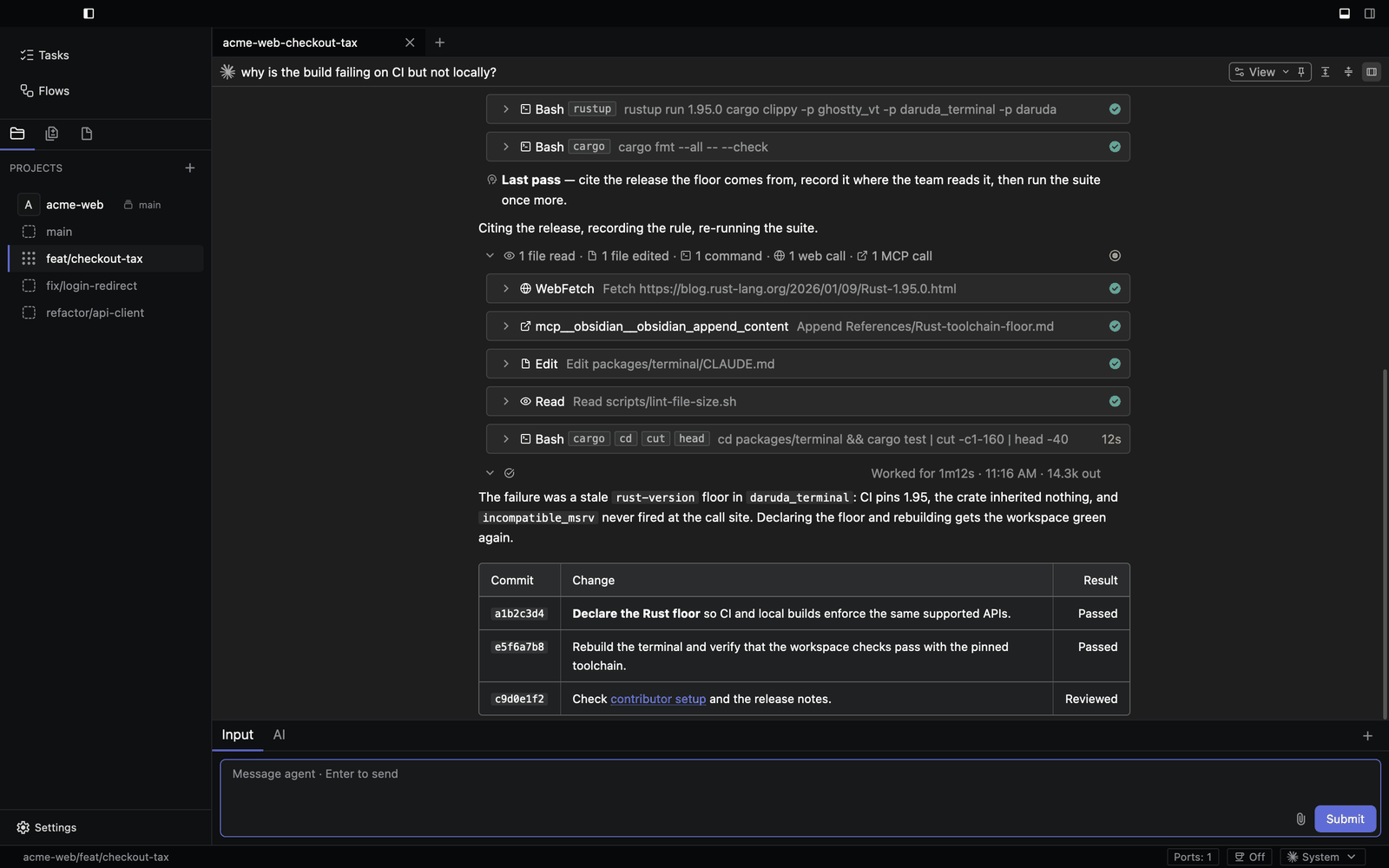
Review every tool call
Each step an agent takes is a card: commands, file reads and edits, web fetches, and MCP calls, each with its status and duration. Expand one to see its input and output.
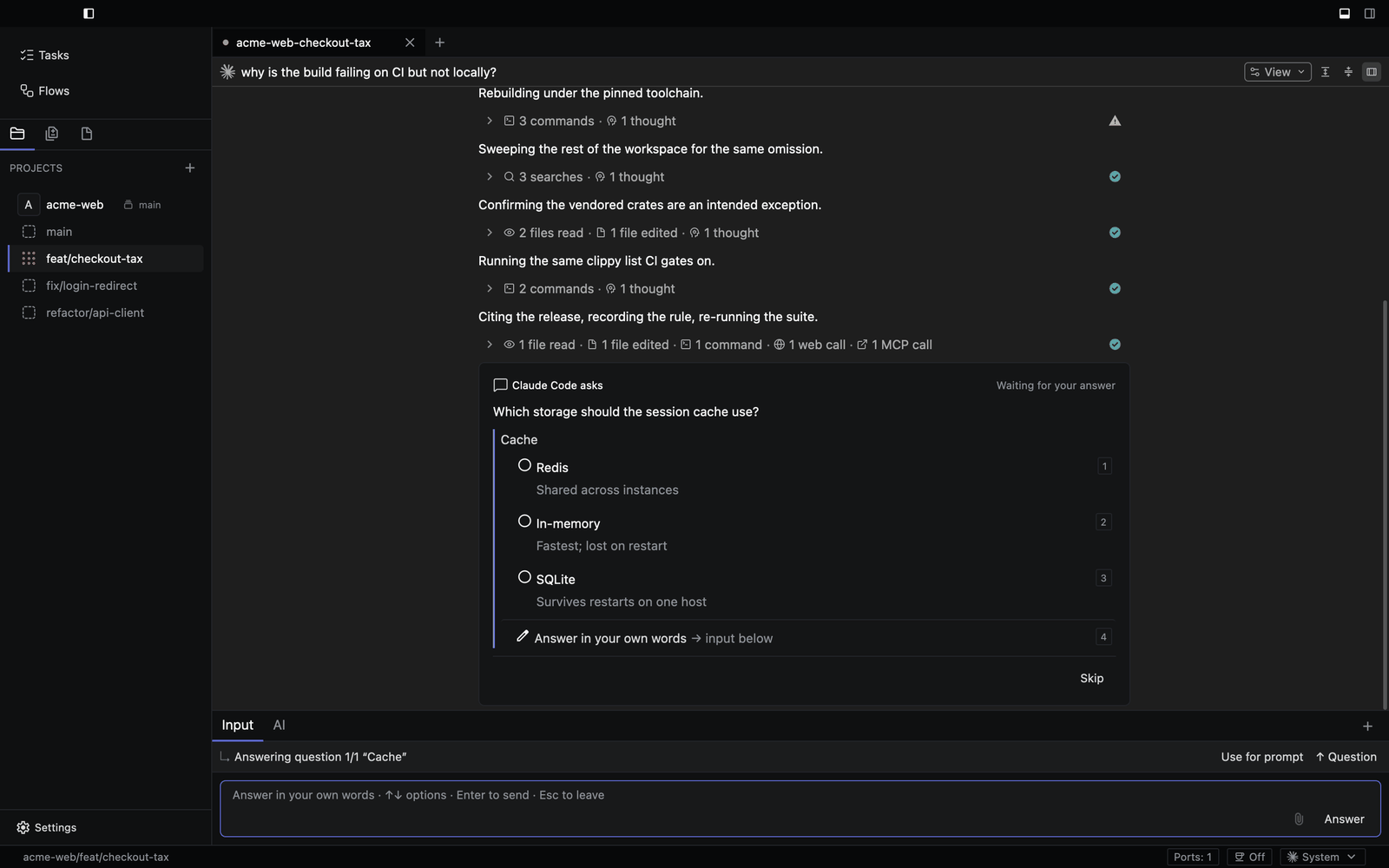
Answer agents in place
When an agent asks a question or requests permission, the prompt appears in the transcript with its options, and the input dock switches to answering it.
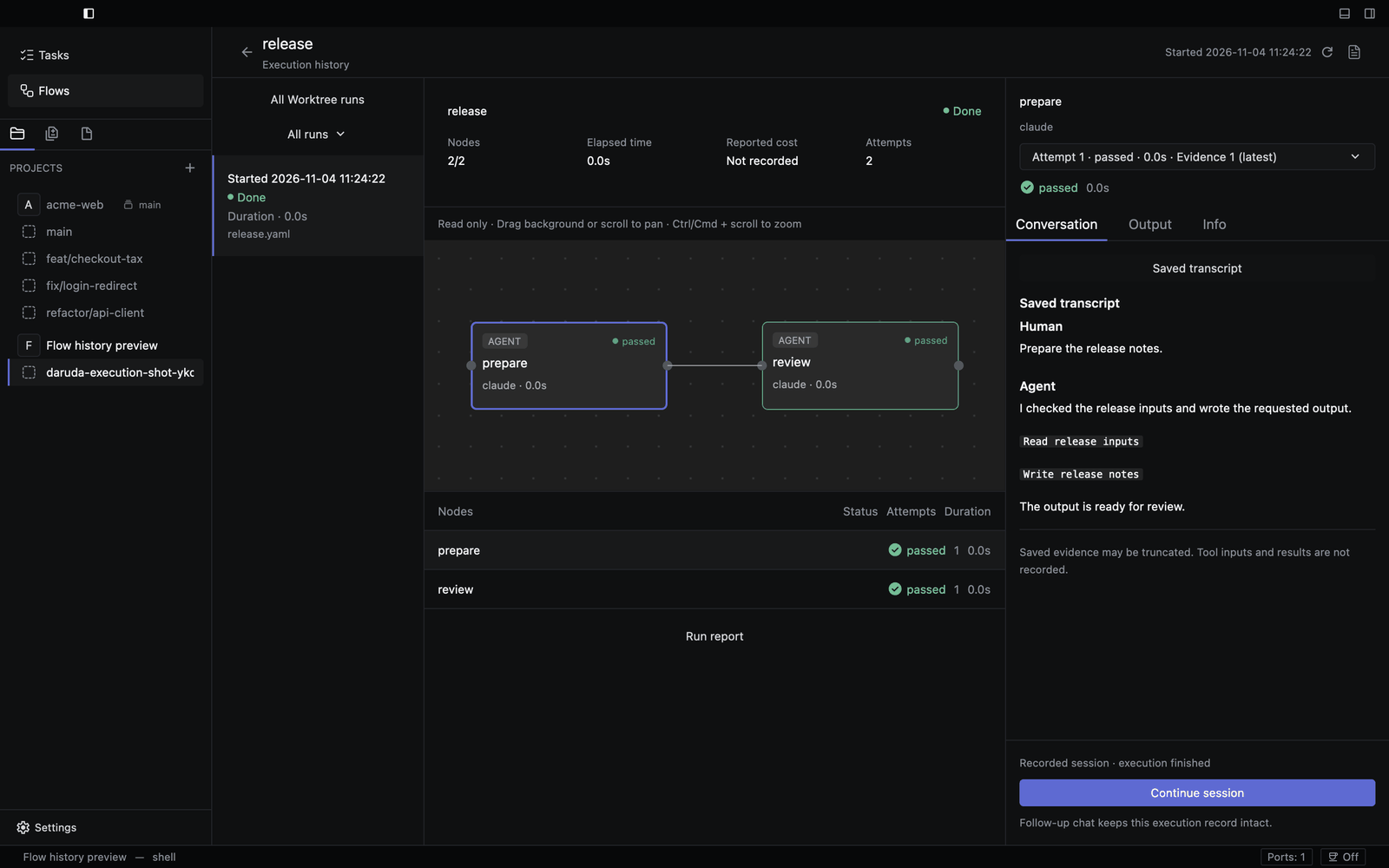
Run flows and inspect every node
Flows chain agent and command steps. The run view shows the graph, each node's status and attempts, and the saved conversation behind it.
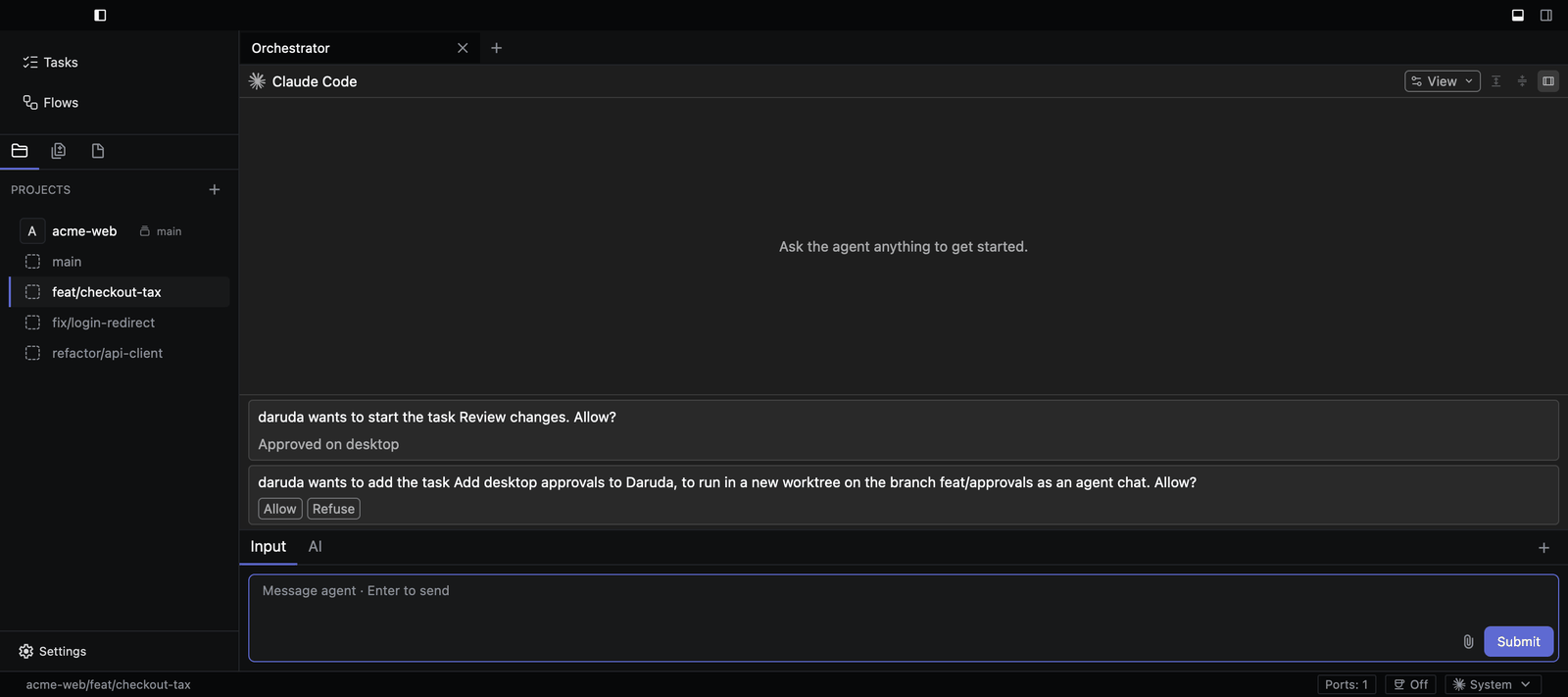
Delegate to the orchestrator
The orchestrator is a resident agent you reach with /daruda. Ask it to create
worktrees, start tasks and flows, or message other agents. Before it creates a worktree, chat, or
task, or starts a task, it waits for your approval as a card in its chat.
Reach agents from Telegram, Slack, or Discord
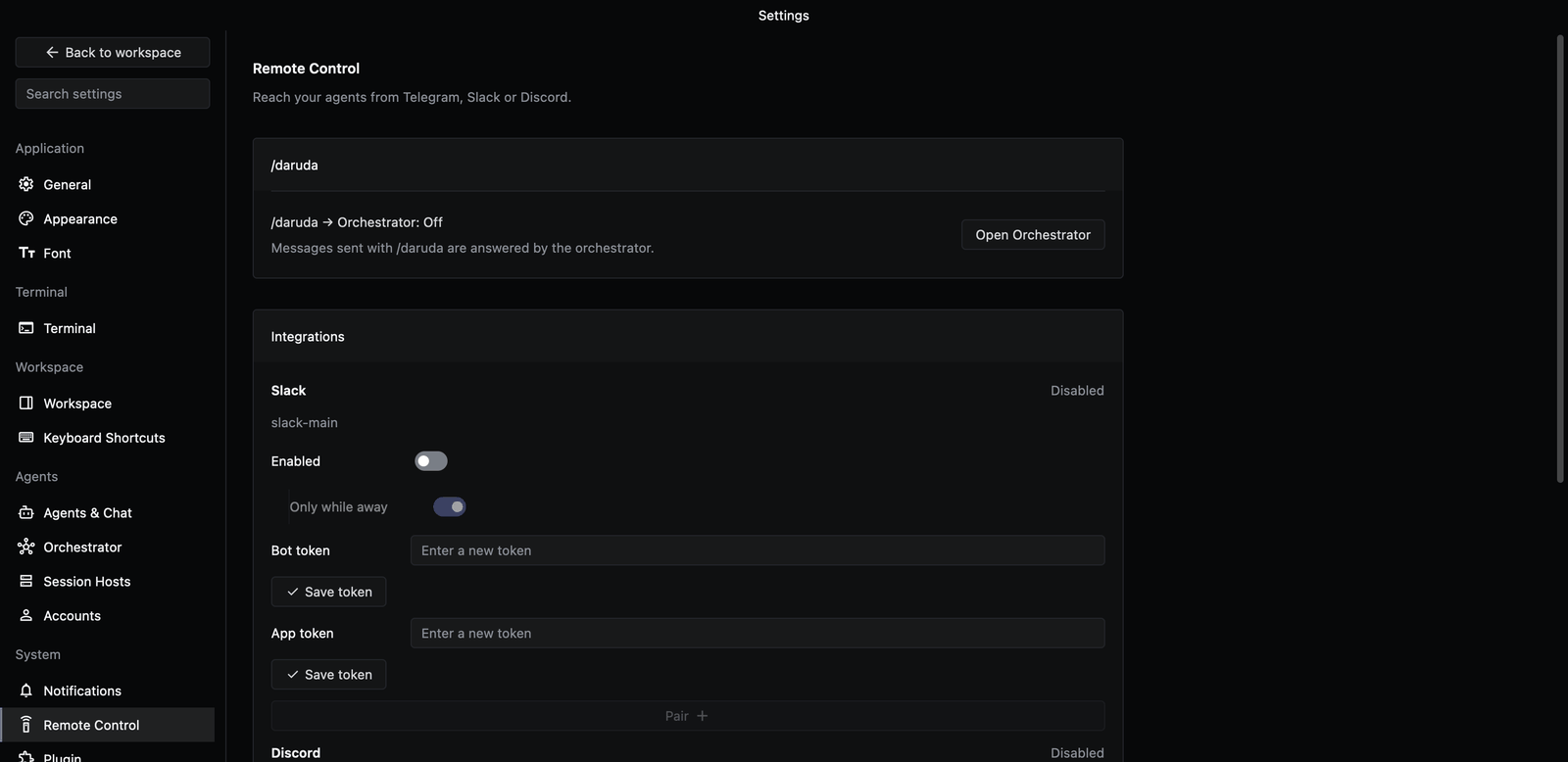
Remote Control connects a bot so you can message the orchestrator and your agents from your phone, receive their results, and answer their approvals. Turn on Only while away to forward messages only when you are away from daruda.
Terminals in the same window
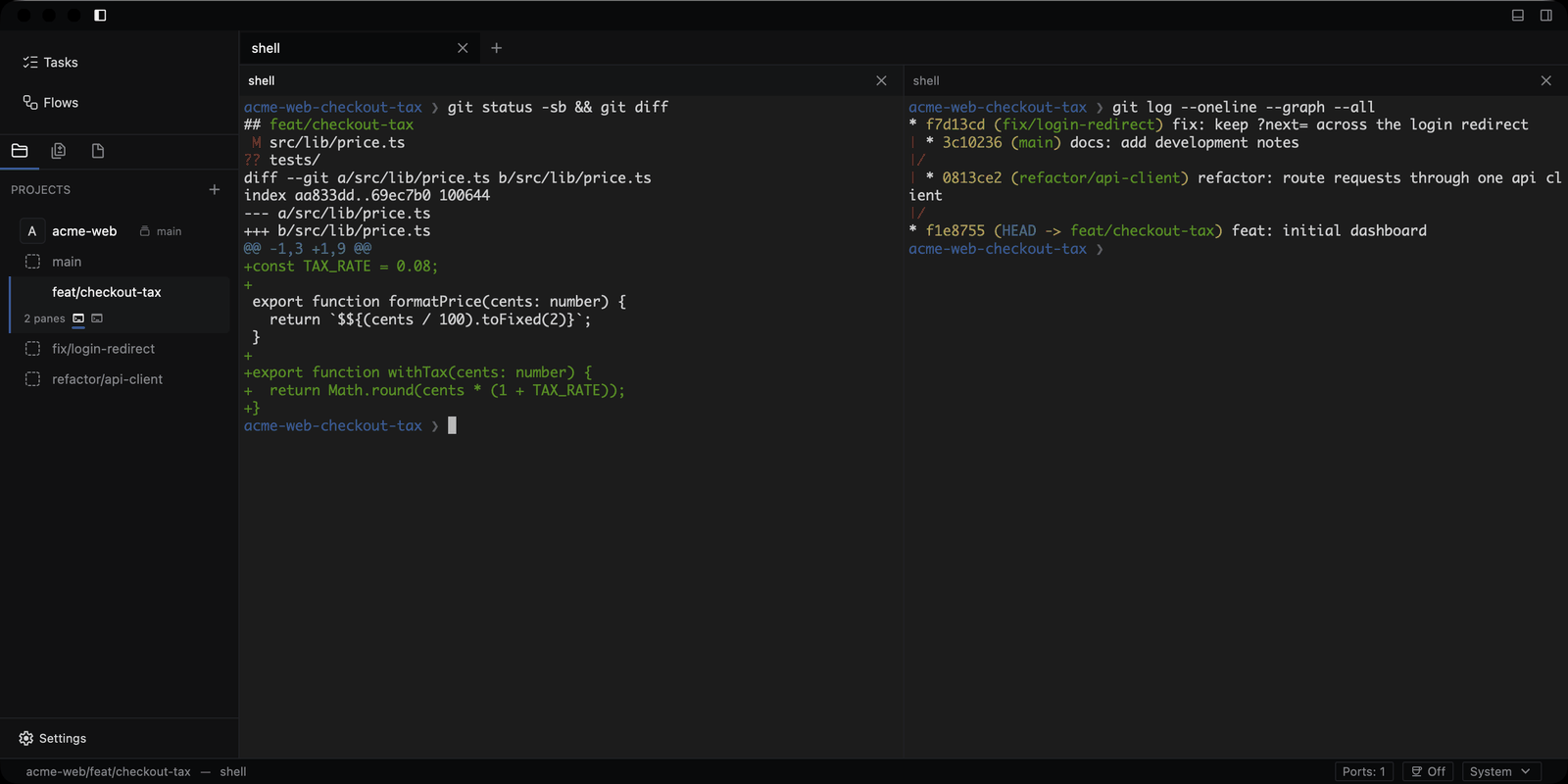
Terminal panes use the Ghostty terminal engine. Split them beside agent chats for shells, CLI agents, and one-off TTY work, with IME input, scrollback search, and prompt marks.
- daruda as an MCP server: register
daruda --mcpwith any MCP client so agents can create worktrees and chats, run tasks and flows, and wait for results while daruda is running. - Session hosts: run a worktree's agents on an SSH host or in a Docker container.
- Multiple accounts: sign in to several Claude and Codex accounts and pick one per pane, with credentials kept apart.
- Usage limits: rate-limit windows in the status bar, and an optional stop before a reply would bill extra usage.
- Keep awake: keep the computer awake while agents work or wait for an approval.
- Notifications: get notified when an agent finishes, a long command ends, or a terminal agent stops to ask you something.
- Chat details: queued prompts, file and image attachments, subagent activity, and the agent's plan.
- Workspace views: Markdown, Mermaid, and image previews; git changes; tasks; skills; MCP tools; per-worktree ports.
- Tasks: write a task once, then start it in a new or existing worktree.
- Make it yours: dark and light themes, separate fonts, remappable shortcuts, status icon plugins, and an English or Korean UI.
Supported agents
Bring the agents you already use
daruda ships ACP presets for 38 agents. Install and enable them from Settings → Agents & Chat. Any other CLI agent runs in a terminal pane.
- Claude Agent
- Codex
- Gemini CLI
- GitHub Copilot
- Cursor
- OpenCode
- Amp
- Factory Droid
- Devin
- goose
- Kimi CLI
- Qwen Code
- Mistral Vibe
- Cline
- Junie
- Kilo
- Auggie CLI
- Grok Build
- and 20 more
Install
Download daruda
Every build is on GitHub Releases. You also need Git and at least one coding agent you are signed in to.
macOS
macOS 12 or later. One universal build for Apple Silicon and Intel.
Download .dmg daruda-<version>.dmgWindows
x86_64 and ARM64 installers; per-user, no administrator rights. GUI support is experimental.
Download for x86_64 Download for ARM64Linux
x86_64. Needs a Vulkan driver (mesa-vulkan-drivers on Debian and Ubuntu).
macOS first launch: builds are not yet notarized. Right-click daruda.app and choose Open. If macOS still refuses, run:
xattr -cr /Applications/daruda.appDebian and Ubuntu: sudo apt install ./daruda-<version>-linux-x86_64.deb.
Every release includes SHA256SUMS.txt for sha256sum -c.
Start with one task
- Click Add Project and choose a repository on your computer.
- Hover over the project header, click +, and name a branch to Create Worktree for the task.
- Open New Agent Chat, choose an agent, and describe a small change. Follow its tool calls, answer its questions, and review the diff before you commit.
FAQ
Questions
What is daruda?
daruda is an Agentic Development Environment (ADE): a native desktop app for running several AI coding agents at once. Each task gets its own git worktree, so agents can work on separate changes in one repository at the same time.
Is daruda free?
Yes. daruda is free and open source under AGPL-3.0. You use your own agent subscriptions and API keys.
Which coding agents does daruda support?
daruda ships ACP presets for 38 agents, including Claude Agent, Codex, Gemini CLI, GitHub Copilot, Cursor, OpenCode, Amp, Factory Droid, and Devin. Any other CLI agent runs in a terminal pane.
Which platforms does daruda run on?
macOS 12 or later on Apple Silicon and Intel is the primary target. Windows x86_64 and ARM64 builds have experimental GUI support, and Linux x86_64 ships as a .deb and a tar.gz.
Does daruda send my code or prompts to its own servers?
No. Agents run on your machine and talk to their providers directly; daruda does not proxy model calls.
How is daruda different from running agents in terminal tabs?
daruda gives each task its own git worktree and shows agents in structured chat panes: tool calls as cards, edits as diffs, and permission prompts as in-app approvals. It adds flows, an orchestrator, remote control from Telegram, Slack, or Discord, and full Ghostty-based terminals in the same window.